I. Introduction
Ubuntu Server is currently one of the most popular open source Linux distributions, trusted from personal homelab systems to corporate production environments. With high stability, resource optimization and a large support community, Ubuntu Server is the ideal platform to operate infrastructure services, monitoring systems or containerized environments.
This article will show you detailed instructions on how to install and set up Ubuntu Server from scratch. The content is designed to closely follow reality, making it easy to apply to both virtualized lab environments and physical servers.
In this series, we will go through the entire installation process on HyperV: From preparing the installation file, initializing the virtual machine, setting up the operating system, to configuring the network and basic security after the installation is complete to be ready to deploy other services.
II. Prepare
Before starting, it is necessary to prepare the following ingredients and parameters:
1. Virtualization & Networking Environment
- Hyper-V: Computer running Windows 10/11 Pro or Windows Server with Hyper-V enabled. (Instructions for turning on Hyper-V).
- Virtual Switch: An External or Internal Virtual Switch has been created so that the virtual machine can connect to the network. (Instructions for creating a Virtual Switch).
- Network Information (Network Plan): Prepare a static IP address (Static IP), Subnet Mask, Gateway and DNS to assign to the server during the installation process.
2. Installation Files & Tools
- Ubuntu Server 22.04.5 LTS ISO file: Download AMD64 architecture version (for common PC/Server). Download Ubuntu 22.04.5 LTS (amd64).
- SSH tool: Pre-install Windows Terminal, MobaXterm or PuTTY on the real machine to connect and manage the server after installation is complete.
3. Hardware configuration
For a basic Lab environment, you should prepare the following minimum resources:
- CPU: 2 vCPU
- RAM: 4 GB
- Storage: 30 GB Disk Space
sudo apt update && sudo apt upgrade -y
sudo apt install -y curl wget apt-transport-https software-properties-common
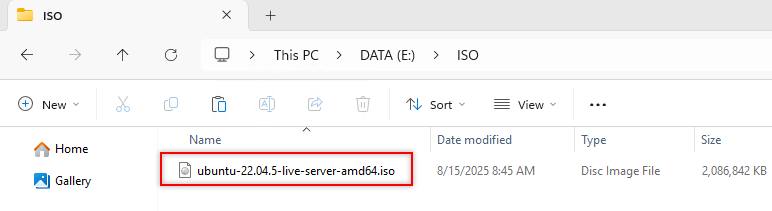 Figure 1: Download Ubuntu Server ISO file